Introduction (Does It Do What It Should)
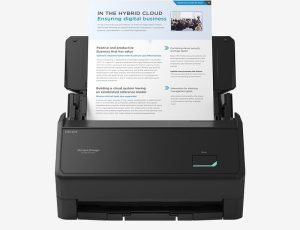 All right, this isn’t our first time reviewing a RICOH product, nor is it our first time reviewing a ScanSnap. In fact, I found out that we reviewed a ScanSnap back in 2016, and I had utterly forgotten about it, really.
The ScanSnap is something that I think every small business or even typical taxpayer might need before the income tax deadline. It is a device that you plug into your laptop via USB, and then you can scan papers, business cards, and even receipts. These scannings then get saved on your laptop thanks to some special software.
It’s very simple to set-up and use, and you can witness that for yourself in the video. All you need to do is plug it in to the wall, plug it into your computer, set up the software, and you’re ready to scan. You can scan 100 page documents, and it will do it at 45 pages a minute.
From there, it can save it as a PDF document, but it can do JPGs, not to mention some editable Microsoft Word, Excel, and PowerPoint documents. Oh, and it can do 4 x 6 photos, with auto-facial orientation and red-eye reduction.
Oh yes, it can do business cards. All you have to do is narrow the gap and slide in the cards, and it scans both sides, in color. There is also a separate attachment made for receipts, and it does a really good job of scanning them, even the long ones. I did have trouble with the wrinkles on this.
If you want this, you can get this on the RICOH website for about $359.99.
Facts About The Company
Good grief, there seems to be a lot of info about this company. I was hoping to just get a good “About Us” page, but man, I’m seeing all kinds of stuff here. Apparently, there big into helping businesses with their tech.
What Does This Company Make?
When I was on the conference call with these guys, which you can see in the video, they told me they make these conference call things as well as copiers/printers. I’m hoping to get another chance on something else, but I’ve got to finish this article first.
Just the Specs, Man
If you’re the type that needs this info, this section is for you!
Normally, I just cut and paste the info here, but in this case, it came in an odd form. I’m going to suggest you go to the product website and do that kind of search for that kind of information.
If there is something on this that I didn’t cover, please let me know.
Okay, Get To The Unboxing Already!
Maybe I Want It, But Is There Anything Else Like It? Maybe For A Lower Price? Please?
Last time I reviewed a ScanSnap, I said that I never reviewed anything like it, but since I have reviewed two ScanSnaps.
Leave a Reply